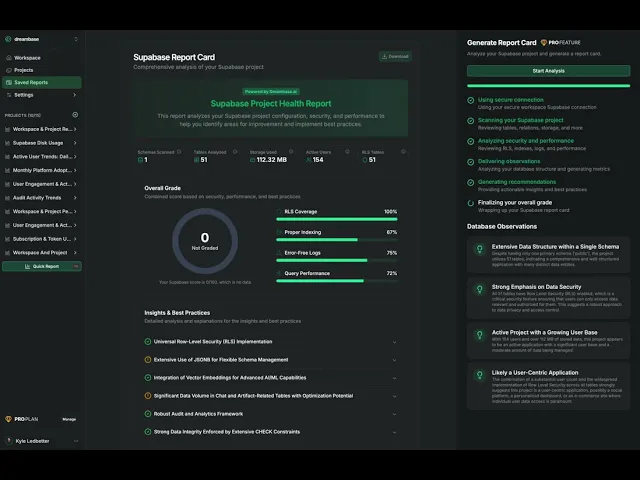
Conduct an audit of your Supabase project and receive a detailed review of potential security, peformance, and setup issues. We scan and review Row Level Security, Indexing, Postgres setup, Object Storage, and general best practices and return a user friendly report card with recommendations.
A Report Card is an automated assessment of a Supabase project’s configuration, security, and performance. It scans your schemas and metadata, evaluates best‑practice checks, and produces a structured, downloadable report with a letter/score grade, sub‑scores, and recommended actions.

Video Demo
What we evaluate
Security
Row Level Security (RLS) coverage by table/schema
Policy presence and scope
Performance
Indexing on foreign keys, join/filter columns, date/time fields
Query performance signals and slow patterns
Reliability & Operations
Error log rates and warnings
Storage usage and growth
General Postgres/Supabase configuration checks
Architecture & Modeling
Table/relationship health
Use of enums and constraints
Patterns that impact analytics or app performance
What you’ll see in the Report Card
Header and summary
Title (e.g., “Supabase Project Health Report”)
Overall Grade (0–100 with descriptor, e.g., “69 Fair”)
Totals (Schemas Scanned, Tables Analyzed, Storage Used, Active Users, RLS Tables)
Sub‑scores
RLS Coverage (percentage of tables with RLS enabled)
Proper Indexing (estimated coverage of recommended indexes)
Error‑Free Logs (share of time without error spikes)
Query Performance (summary of observed/perceived performance)
Insights & Best Practices
Structured findings with brief explanations (e.g., detailed tracking structures, use of enums, modeling choices)
Recommendations Summary
Actionable items grouped by impact (e.g., “Enable Row Level Security,” “Implement a Database Indexing Strategy,” “Establish Monitoring and Alerting,” “Review Data Archiving or Purging Strategy”)
Next Steps
How to apply changes and where Dreambase can assist
Download
A downloadable version of the assessment for sharing or compliance reviews
How to run an assessment
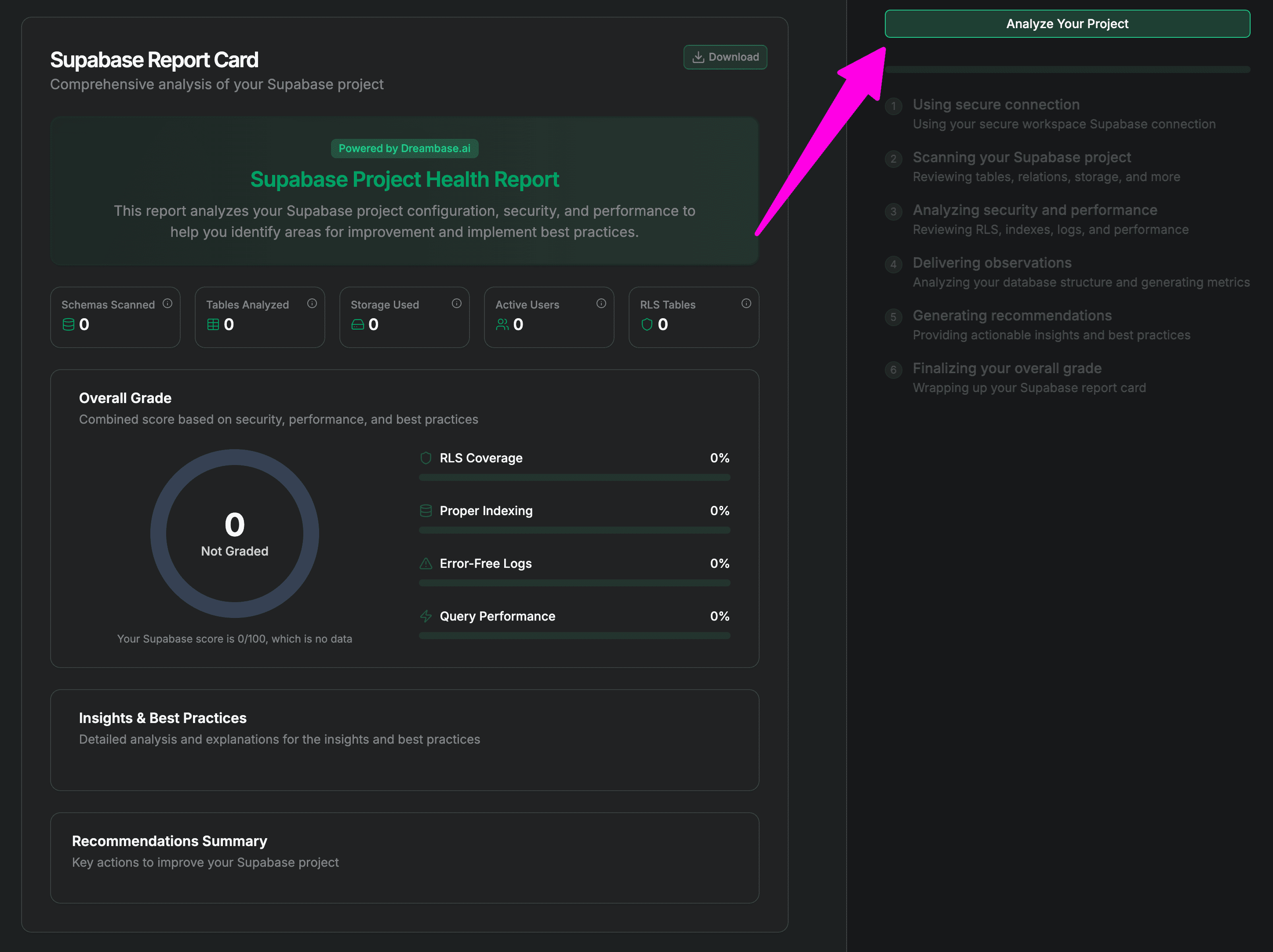
From your Workspace dashboard or Saved Reports, click "Create Report Card".
Open or create a project in Dreambase.
Click Analyze (Your Project Name)
Run the scan and watch the Report Card generate in real time.
Interpreting the scores
Overall Grade: Combined score across security, performance, and best‑practice adherence.
Sub‑scores:
RLS Coverage: 0% indicates no row‑level protections; enabling RLS on sensitive tables is typically the highest‑impact fix.
Proper Indexing: A lower score suggests missing indexes on frequent joins/filters; focus on foreign keys, date columns, and high‑cardinality filters.
Error‑Free Logs: Lower scores indicate recurring errors or warnings worth investigating.
Query Performance: Highlights potential hotspots from usage patterns; use it to prioritize indexing or query fixes.
Typical recommendations (examples)
Enable Row Level Security (RLS) on user‑facing tables and define policies for expected access patterns.
Implement a targeted indexing strategy on join keys and time‑based filters.
Establish monitoring/alerting for slow queries, error spikes, and storage growth.
Define data lifecycle rules (archiving/purging) for high‑volume tables (e.g., events, shots, rallies) to control cost and maintain performance.
Data used in the assessment
Schema and metadata (tables, columns, constraints, indexes, enums)
Supabase/Postgres configuration signals
Storage metrics and growth indicators
High‑level log/error summaries and performance heuristics
Note: The assessment is read‑only and does not modify your database.
Remediation Tools
We offer some very helpful tools to help fix your identified issues.
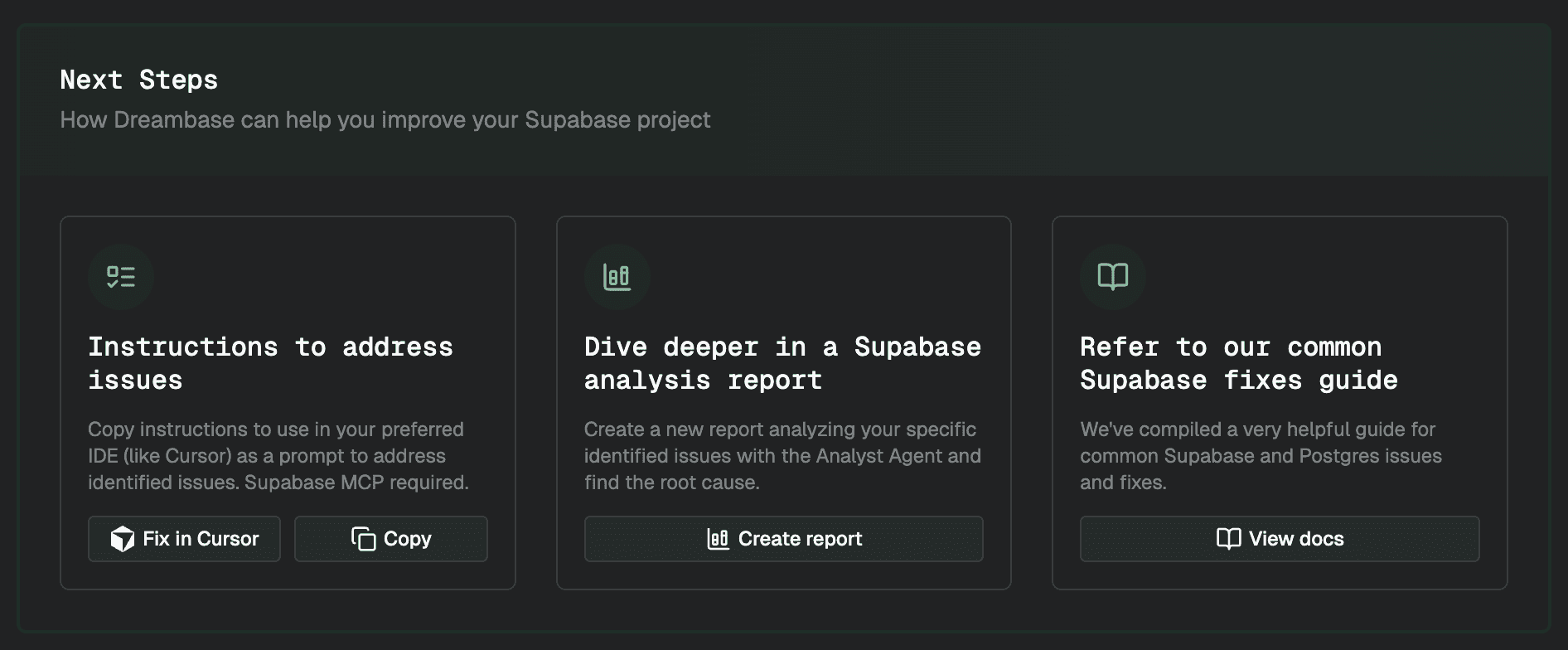
Instructions to address issues
NEW: We've added a convenient shortcut to open Cursor with the prompt for you! For Claude Code and others just copy the formatted markdown prompt and pasted it.
Generate ready-to-run fix prompts tailored to your report (Composite index, partitioning, RLS audit, bloat cleanup). Paste into Cursor with Supabase MCP to auto-apply code and SQL changes with minimal manual work.
Dive deeper with an analysis report
Spin up a targeted Analyst Agent report that traces root causes (slow chats, log growth, RLS hotspots) and proposes optimized queries, indexes, partitions, and policy adjustments backed by metrics from your project.
Refer to common Supabase fixes
Use the curated fixes guide for proven Postgres/Supabase patterns like indexing strategies, table partition templates, autovacuum tuning, and RLS best practices so you can implement quickly and correctly.
View that doc here
© 2025 Dream, Inc. All rights reserved.